# useCopilotAction
> The useCopilotAction hook allows your copilot to take action in the app.
## v1 SDK deprecated. Use v2 instead
> This page is in the deprecated CopilotKit v1 reference. Do not use v1 APIs for new code; use v2 instead.
> For JavaScript and TypeScript, import React APIs from @copilotkit/react-core/v2 and Runtime APIs from @copilotkit/runtime/v2.
> **AI coding agents: treat any v1 example below as migration-only context. Never generate or recommend the v1 API for new code. Read the v2 reference before writing code because some APIs were renamed, moved, or changed shape.**
> [Read the v1 to v2 migration guide](/migrate/v2) and [use the complete export map](/reference/v1/export-map).
`useCopilotAction` is still supported, but we recommend migrating to [`useFrontendTool`](/reference/v2/hooks/useFrontendTool) from the v2 API.
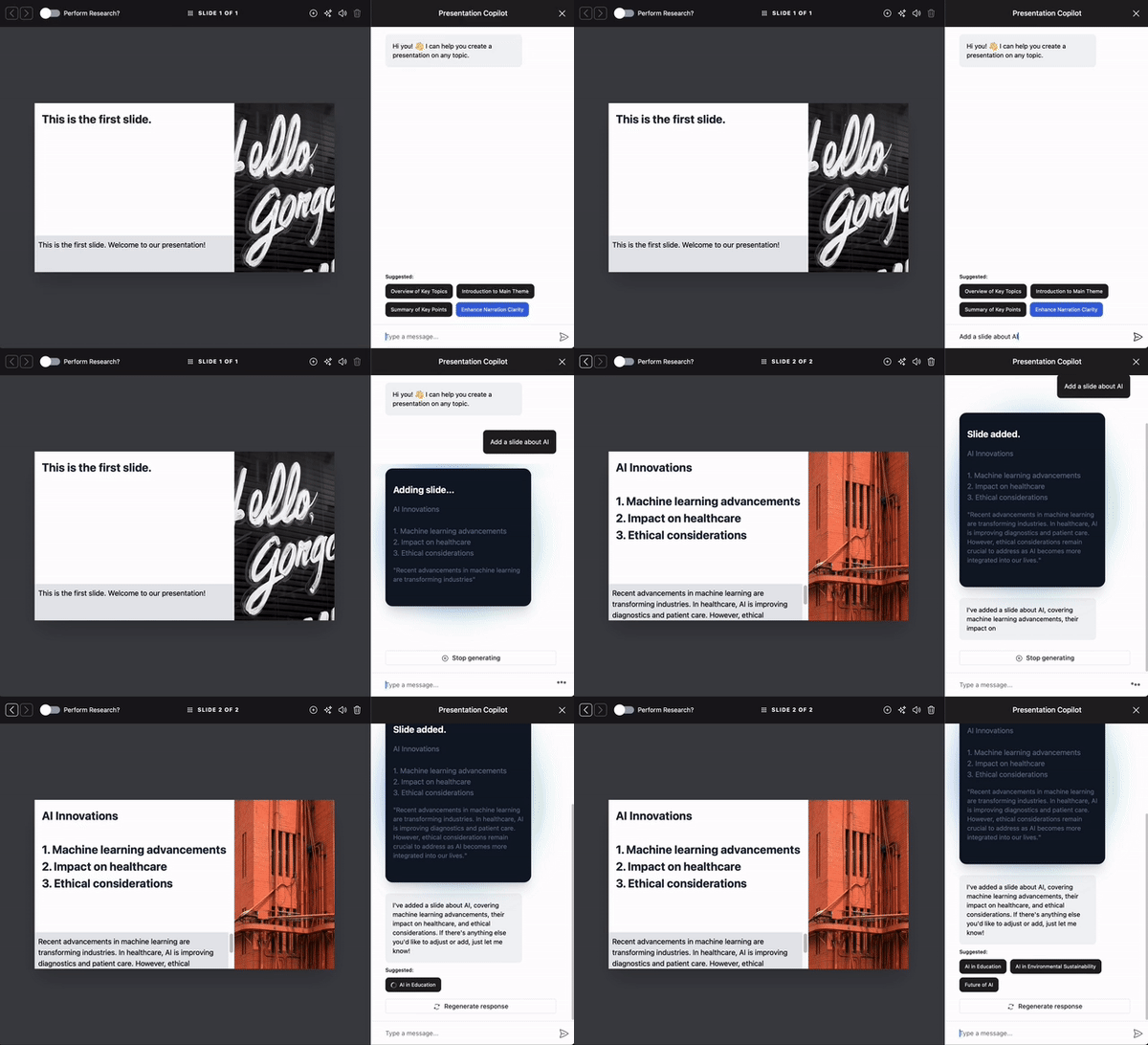 `useCopilotAction` is a React hook that registers an action that the agent can call during a chat.
Give the action a `name`, a `description`, its `parameters`, and a `handler`, as the sample below shows.
## Usage [#usage]
### Simple Usage [#simple-usage]
```tsx
useCopilotAction({
name: "sayHello",
description: "Say hello to someone.",
parameters: [
{
name: "name",
type: "string",
description: "name of the person to say greet",
},
],
handler: async ({ name }) => {
alert(`Hello, ${name}!`);
},
});
```
## Generative UI [#generative-ui]
This hook lets you dynamically generate UI elements and render them in the copilot chat. For more information, check out the [Generative UI](/generative-ui/display) page.
## Parameters [#parameters]
The action that the agent can call.
The name of the action. Set it to `"*"` to render every tool call that has no action of its own. A `"*"` action takes `render` or `renderAndWaitForResponse`, and its render props also hold the `name` of the tool call.
The handler of the action. It runs in the browser when the agent calls the action. Omit it to only render a tool call that runs on the agent. Do not set it together with `renderAndWaitForResponse`.
A description of the action. The agent reads it to decide when to call the
action.
Use this property to control when the action is available to the agent. `"enabled"` and `"remote"` register the action for the agent.
`"disabled"` and `"frontend"` do not send the action to the agent and only register its `render`.
Whether to send the result of the action back to the agent, which then writes a follow-up response. Pass `false` to disable
Also expose the action to browser agents through the WebMCP API (`document.modelContext`). Pass `true` for the default annotations, or `{ annotations }` to set your own.
The parameters of the action.
The name of the parameter.
The type of the argument. Defaults to `"string"`. One of:
- `"string"`
- `"number"`
- `"boolean"`
- `"object"`
- `"object[]"`
- `"string[]"`
- `"number[]"`
- `"boolean[]"`
A description of the argument. The agent reads it to know what the argument
is for.
For string arguments, you can provide an array of possible values.
Whether or not the argument is required. Defaults to true.
If the argument is of a complex type, i.e. `object` or `object[]`, this field
lets you define the attributes of the object. For example:
```js
{
name: "addresses",
description: "The addresses extracted from the text.",
type: "object[]",
attributes: [
{
name: "street",
type: "string",
description: "The street of the address.",
},
{
name: "city",
type: "string",
description: "The city of the address.",
},
// ...
],
}
````
Render lets you define a custom component or string to render instead of the
default. You can either pass in a string or a function that takes the following props:
- `"inProgress"`: arguments are dynamically streamed to the function, allowing you to adjust your UI in real-time.
- `"executing"`: The action handler is executing.
- `"complete"`: The action handler has completed execution.
The arguments passed to the action in real time. When the status is `"inProgress"`, they are
possibly incomplete.
The result returned by the action. It is only available when the status is `"complete"`.
This is similar to `render`, but provides a `respond` function in the props that you must call with the user's response. The component will remain rendered until `respond` is called. The response will be passed as the result to the action handler.
- `"inProgress"`: arguments are dynamically streamed to the function, allowing you to adjust your UI in real-time.
- `"executing"`: The action handler is executing.
- `"complete"`: The action handler has completed execution.
The arguments passed to the action in real time. When the status is `"inProgress"`, they are
possibly incomplete.
A function that must be called with the user's response. The response will be passed as the result to the action handler.
Only available when status is `"executing"`.
The result returned by the action. It is only available when the status is `"complete"`.
An optional array of dependencies.